Health App
The IntelliProve Health app is a ready-made web application that combines the face scan and health dashboard into a single, complete user experience.
It allows you to offer a full health journey, from measurement to results and insights, without building a custom flow. Right in your user's webbrowser.
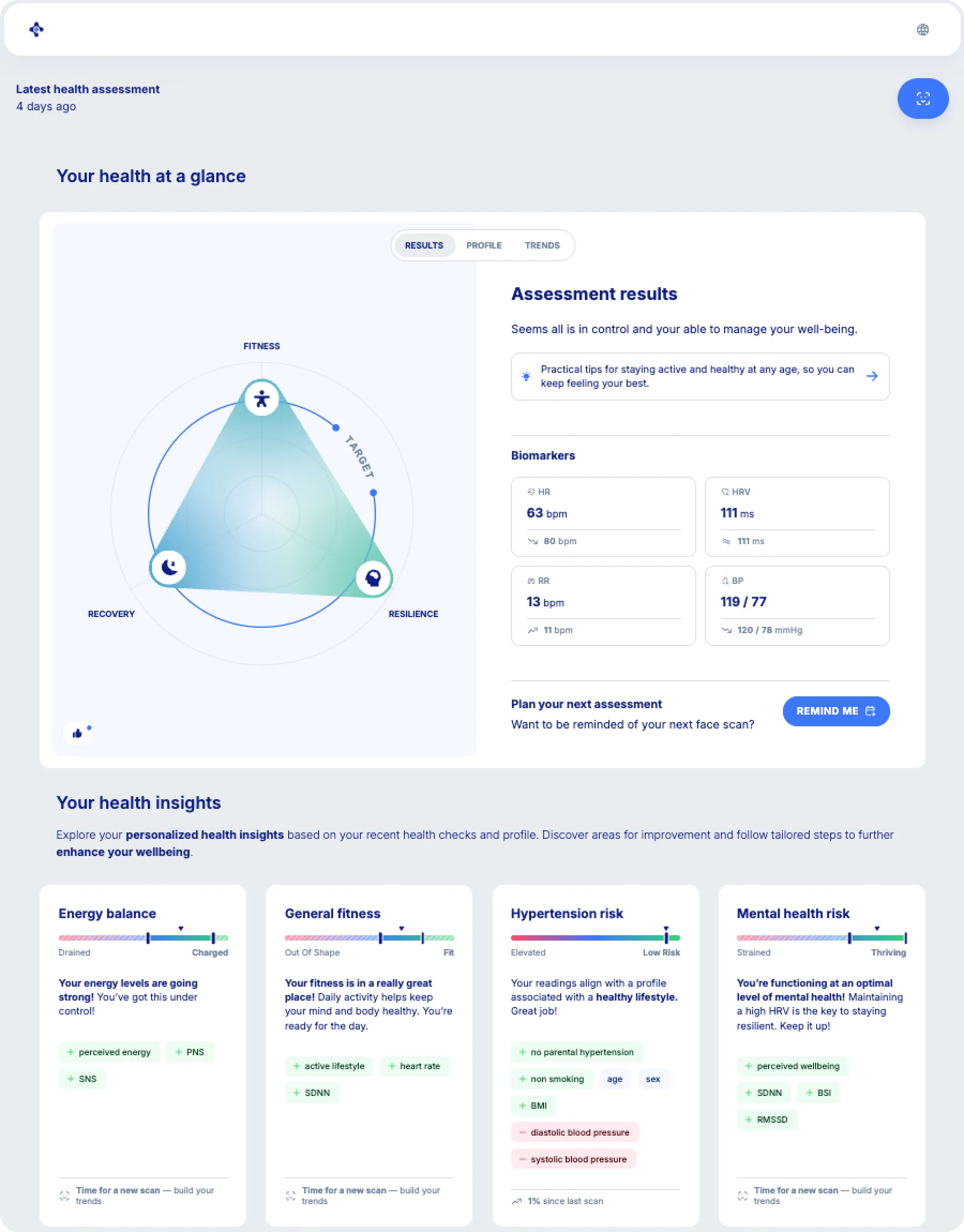
What's included
The Health app includes:
- The face scan to measure health signals
- A results page
- Health insights, including biomarkers and metrics
- Trends over time
- Recommendations
- To-dos
All components are delivered as one integrated application.
When to use the health app
The Health app is ideal when you want to:
- Launch quickly without building a custom integration
- Offer a complete end-to-end experience
- Avoid managing separate plug-ins and APIs
- Validate a use case before investing in deeper integration
How to use it
You'll get access to the health app via a personalized link, for example https://<your-company>.health.intelliprove.com.
Option 1: no-code usage
You can use the Health app without any development work.
Simply include a link to the app:
- In an email campagin
- On your website, behind a button
- Inside your platform, behind a button
Users can directly access the app and complete a health check.
Option 2: embed in your platform
You can embed the Health app using an iframe.
The integration is similar to the face scan plug-in: load the Health app URL in an iframe.
This allows you to integrate the full experience inside your platform.
User identification and data continuity
The Health app does not use authentication.
Instead, a unique user ID is stored locally on the user’s device, using browser local storage.
This means:
- Returning users on the same device can access their previous results
- Switching devices or browsers will start a new history
- No login or account is required
Measurement results are securely stored on IntelliProve servers and linked to this user ID.
Customization
You can configure the Health app through the admin tool.
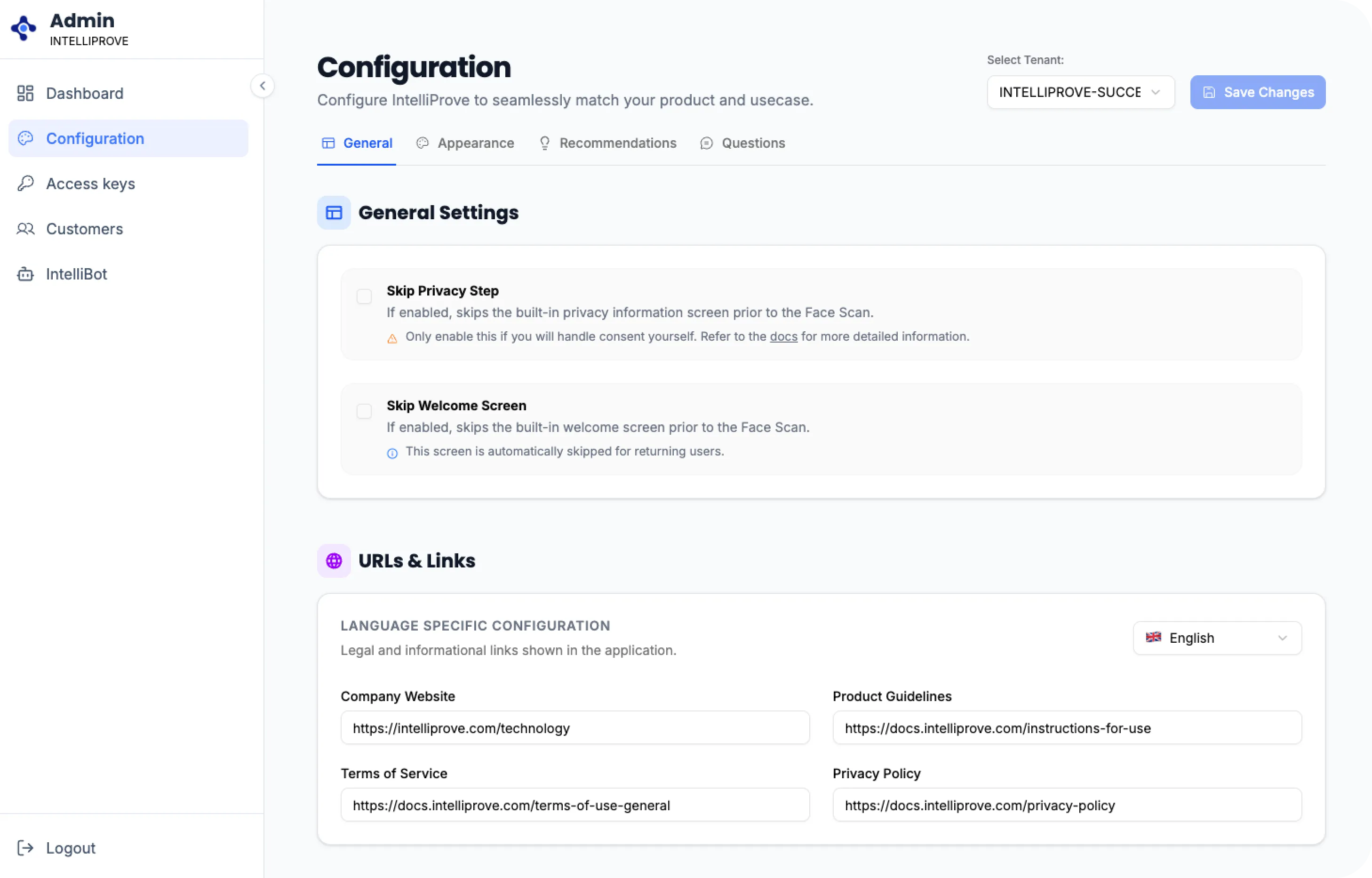
Available options include:
- Colors and branding
- Fonts
- Enabled or disabled sections in the dashboard
- Configuration of the recommendations widget
The app is hosted by IntelliProve, with the option to configure a custom subdomain.
How it compares to the Plug-ins
Integration approach ➡️ Options ⬇️ | Health app | Face Scan + health dashboard plug-in |
|---|---|---|
Integration options | Standalone + integrated possible. You get a unique, customized link for the health app. | Integrated. Refer to the Getting started for more information. |
Authentication support | IntelliProve creates a user ID for each session and stores it in the browser. No direct link with your platform's authentication. | Yes, you can select your own user ID and use it when requesting a plug-in. IntelliProve will link all user's data to that ID. |
Data persistance | On-device — per browser. Returning users on the same device can access their previous results. Switching devices or browsers will start a new history. | Over multiple devices. Since your platform manages the user ID and passes it on to IntelliProve, users will see their data, no matter what device they're logging in from. |
Supported customization options | IntelliProve's admin tool can be used to configure the product: fonts, colors, logo and links. Additionally, recommendations and questions presented in the health app can be configured directly in the admin tool. | Same as Health app + more flexibility. Since the Face Scan and Health Dashboard are separate plug-ins, you can create more varied flows. For example, you could include the health dashboard on a central page in your platform, and integrate standalone Face Scans in various parts of your existing user journeys. |
Time to set-up | Minutes: with the standalone health app, you configure your customizations in the admin tool and can integrate the link in, say, an email campaign right away. | Hours: determine where in your platform you want to integrate the plug-ins, and follow the Getting started. |
Bottom-line
- Use the Health app if you want a fast, ready-made solution
- Use the plug-ins if you need full control over the user experience and more flexibility.