Plug-in URL
Introduction
The Plug-in components are our solution for a fast way to integrate Face Scans into your website or mobile app and obtain health insights quickly. We offer two components:
- Face Scan plug-in – mandatory, required to perform Face Scans
- Health Dashboard plug-in – optional, provides a ready-to-use, intuitive interface that presents a user's health insights clearly and effortlessly.
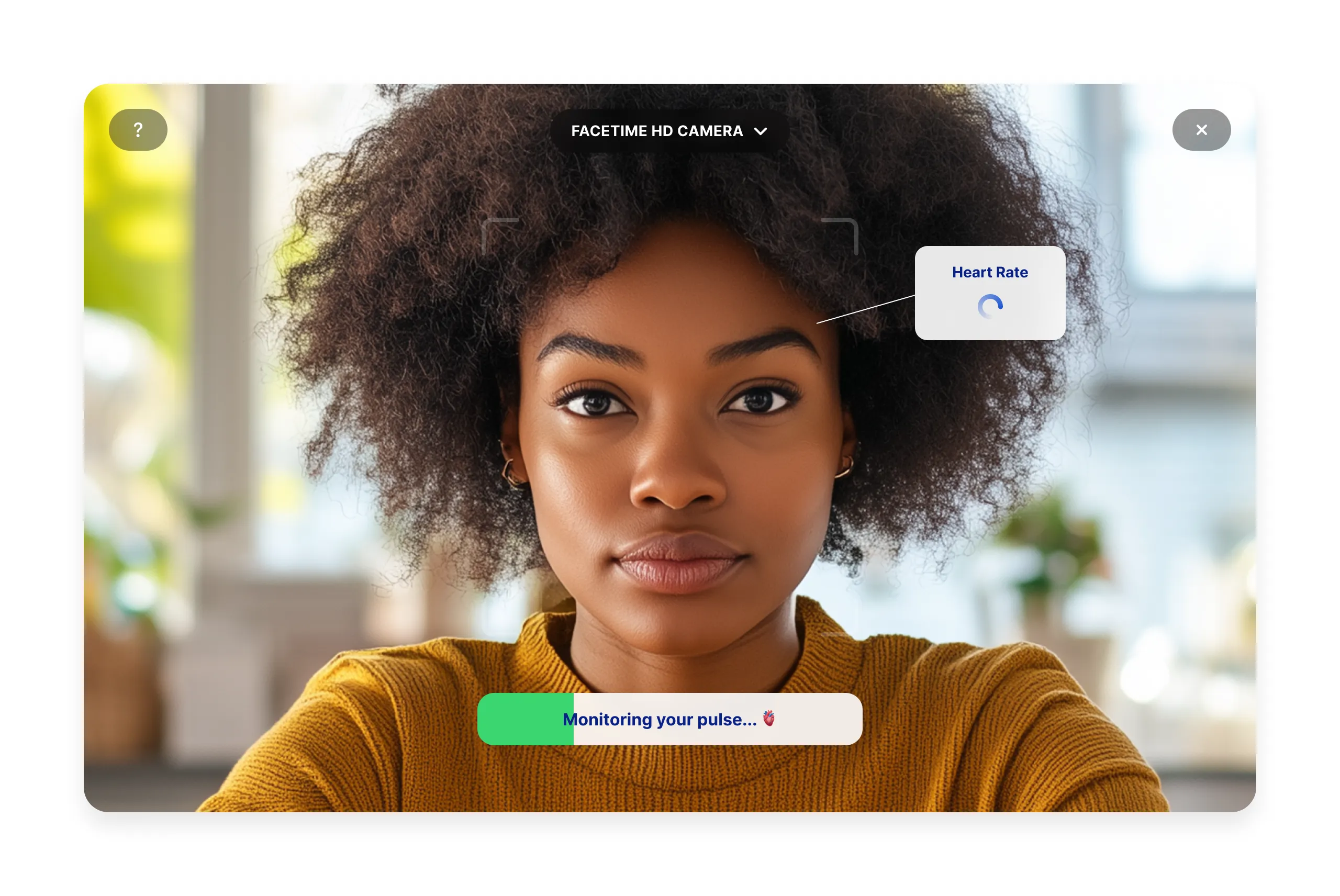
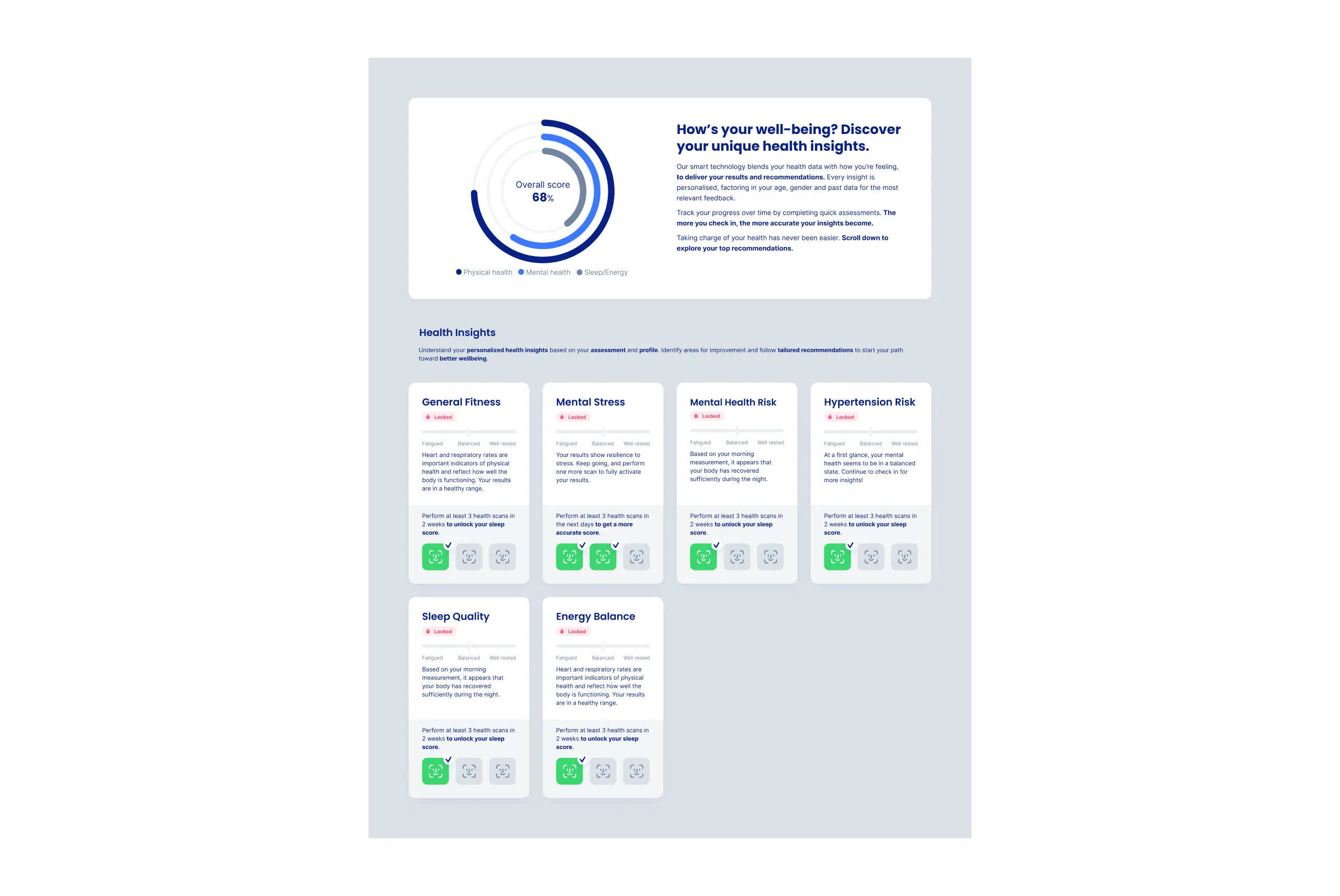
For an overview of the functionality and features included in our plug-ins, refer to the Plug-in components documentation .
To integrate these plug-ins within your website or app, you will need a temporary authenticated URL.
Example https://plugin.intelliprove.com?action_token=<action_token>&patient=<patient>
Validity The action token embedded in the URL has a fixed expiry time. Currently, this is set to 6 hours, meaning the URL will no longer be valid after that. A new temporary URL should be requested after expiring.
Prerequisites
To request a Face Scan URL, the user performing the scan must be registered with IntelliProve.
Request URL
Requesting an authenticated URL for a plug-in to can be done with a simple HTTP GET call to the IntelliProve API.
Please note that this requires your IntelliProve API key. Exposing this API key to the client side is bad practice. You should not incorporate the API key in your JS browser code. Instead, resolve the plug-in URL from a backend server.
- For the Face Scan plug-in, use the following endpoint: Get Face Scan URL
- For the Health Dashboard plug-in, use the following endpoint: Get Health Dashboard URL
You can paste the obtained Face Scan URL in your browser to play with the Face Scan and show off a first POC!
Keep in mind that these plug-ins are designed to be embedded in your application. For example, the Continue button shown after a scan completes, does nothing by default — but the click emits a post message, which your app can listen for to redirect to a new page, hide the plug-in, or trigger any other follow-up. The next steps explain how to do this.
When to request the plug-in URLs?
It's a good practice to request a new URL for every new session initiated, i.e., every new end-user logging into your platform. For each new session, ensure to request a new URL via our API. Once generated, the same URL can be used for the same user for up to 6 hours, after which a new request will be necessary.
Important: make sure to refresh the iframe or webview when a user clicks to perform another scan, so that the session starts from the start.
Next steps
Now, that you understand how to request the plug-in URLs, it's time to embed the Face Scan plug-in component in your app. Continue with the Embed Plug-in documentation.