Blood Pressure
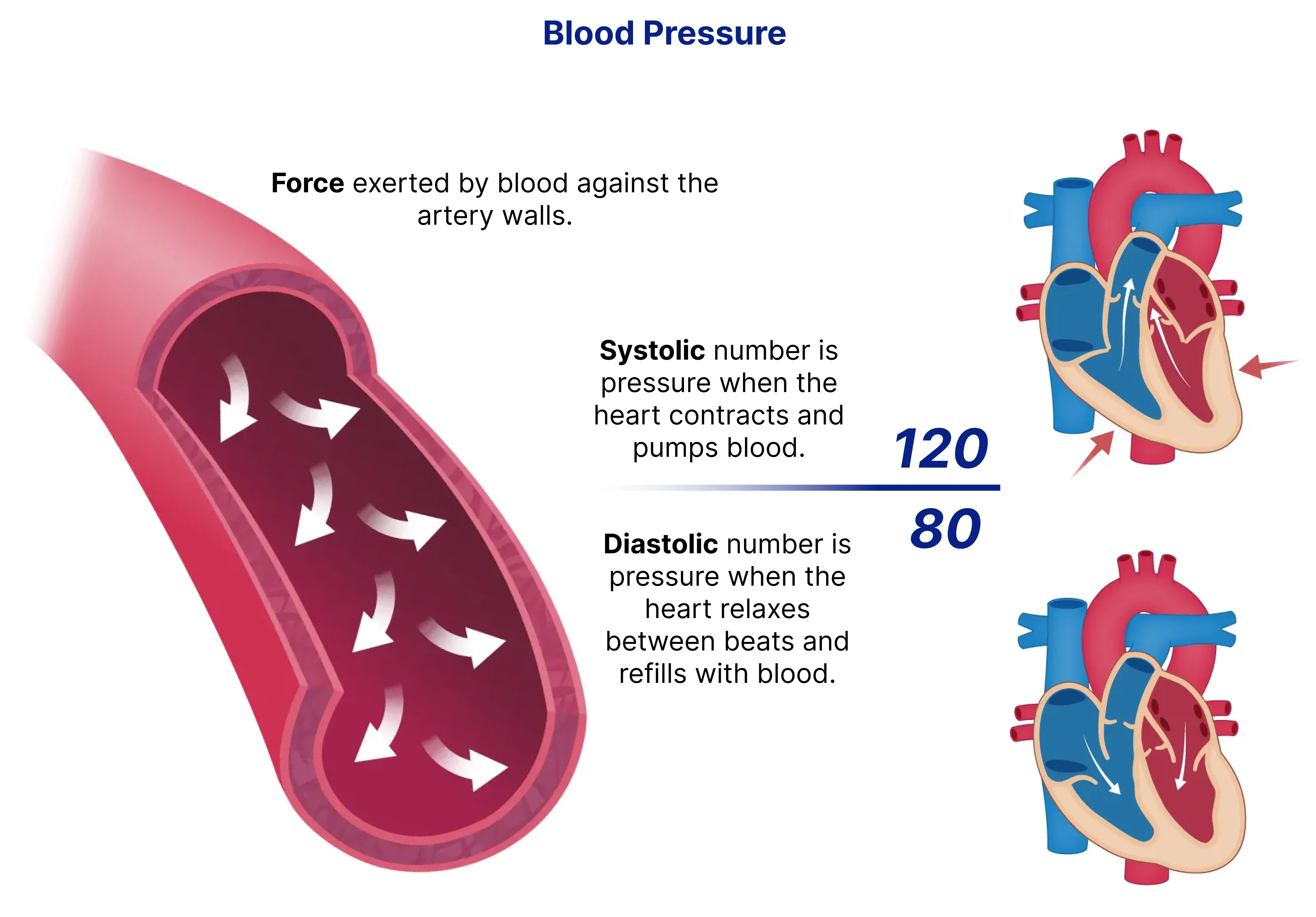
Blood pressure (BP) refers to the force exerted by circulating blood on the walls of the arteries. It is an essential health indicator used to assess cardiovascular health and the risk of conditions such as hypertension and heart disease. The IntelliProve Blood Pressure Biomarker estimates systolic and diastolic blood pressure values using a combination of rPPG-derived signals and user-reported inputs.
Maintaining a normal blood pressure level is crucial for overall health. A consistently elevated blood pressure (hypertension) increases the risk of heart disease, stroke, and kidney problems.
How is it calculated?
The blood pressure biomarker is derived from a machine-learning model trained on a combination of rPPG signal features (extracted from the Face Scan) and user details. In summary, the required inputs include:
- A qualitative Face Scan
- Age of the user
- Sex of the user
This model estimates both systolic and diastolic blood pressure in mmHg. User details are automatically collected with our Face Scan plug-in but can also be provided via our API. Refer to the Plug-in components documentation for more information.
Accuracy
IntelliProve continuously validates its blood pressure biomarker against clinically measured blood pressure values. Comparative studies with the golden standard are performed to assess the accuracy of rPPG-based estimations, ensuring alignment with medical standards.
Currently, the model's performance is as follows:
- Systolic Blood Pressure: 1.03 ± 12.42 mmHg (Mean error ± Standard deviation)
- Diastolic Blood Pressure: -0.39 ± 8.88 mmHg (Mean error ± Standard deviation)
How can it be used?
Blood pressure is a critical measure of cardiovascular health. It can be used to:
- Monitor trends over time: Identify fluctuations in blood pressure that may indicate health risks.
- Support hypertension risk assessment: Combined with other IntelliProve health metrics, blood pressure insights can help estimate the risk of developing hypertension.
- Encourage lifestyle improvements: Elevated blood pressure can indicate stress, poor diet, or lack of exercise. Monitoring BP values can help users take preventive action.
IntelliProve’s blood pressure biomarker can be integrated into health platforms to provide users with real-time feedback on their cardiovascular health.
Interpreting results
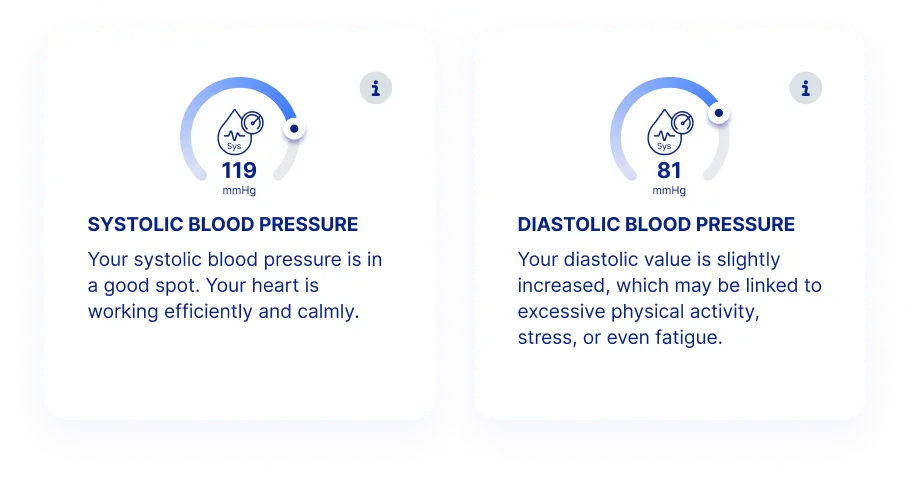
Blood pressure is returned as two numerical values: systolic BP (higher value) and diastolic BP (lower value), both expressed in mmHg. The values can be requested via the Widget or the Rest API.
Definitions
Name | Unit | Range | programmatic name | Health profile |
|---|---|---|---|---|
Blood Pressure (Systolic) | mmHg | 95-160 | systolic_blood_pressure | Physical Health |
Blood Pressure (Diastolic) | mmHg | 60-105 | diastolic_blood_pressure | Physical Health |
Values
Value Systolic BP (mmHg) | | Value Diastolic BP (mmHg) | Meaning | Zone | Example User Text |
|---|---|---|---|---|---|
<130 | and | <85 | Normal | Green | Your blood pressure is within the normal range. Maintaining a healthy lifestyle helps keep it stable. |
130-139 | and/or | 85-89 | High Normal | Yellow | Your blood pressure is elevated. Regular exercise and a balanced diet can help maintain healthy levels. |
>139 | and/or | >89 | Hypertensive range | Red | Your blood pressure is high. A single measurement is not sufficient to assess further steps, but it is advised to keep tabs on your blood pressure values and verifying it with a dedicated blood pressure monitor. Refer to the hypertension risk metric for a more comprehensive indicator of hypertension. Consult a healthcare provider in case your values remain high. |
Null | | | Value not measured. | | |
Minimum quality threshold
Blood pressure estimation requires a higher signal quality than heart rate or respiratory rate. When the Face Scan signal is good enough for heart rate and respiratory rate but not for blood pressure — typically due to movement or low lighting — the scan completes normally, but the blood pressure value in the API response is returned as Null.
This is by design: IntelliProve only returns a blood pressure value when signal quality is sufficient to guarantee the reported accuracy level.
What to do:
- If you're using the IntelliProve widgets, this is handled automatically.
- If you're using the API directly, handle the Null case in your frontend — for example, hide the blood pressure tile or show a message such as "Blood pressure could not be measured for this scan." You can optionally mention movement, lighting or camera quality as possible causes.
The table above shows
- Value: The possible values for the health insight
- Meaning: What does the value mean
- Zone: We distinguish three zones, useful – for example - when creating a widget to clarify the feel towars the user
- Green = Optimal to normal
- Yellow = Normal to average
- Red = Outside the typical range; may require attention
- Example user text: An example of what could be communicated to the user in case this value is measured.
IntelliProve follows guidelines from the European Society of Cardiology for its blood pressure ranges.